Contact us (+971 43348812) Whatsapp (+971 505992041) Email(Info@jetlinerexpressglobal.com)

Access to VIA through the Amadeus GDS Portal
Please follow the steps below:
1.Click the VIA PH button below to access the Amadeus GDS portal.
2.Select User and enter the following credentials:
Email: Jetliner.express@gmail.com
Disk ID: Agent
Password: Blessings@2024
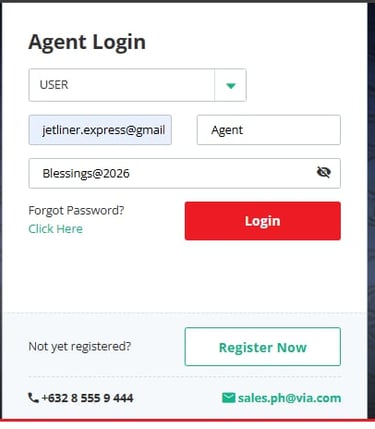
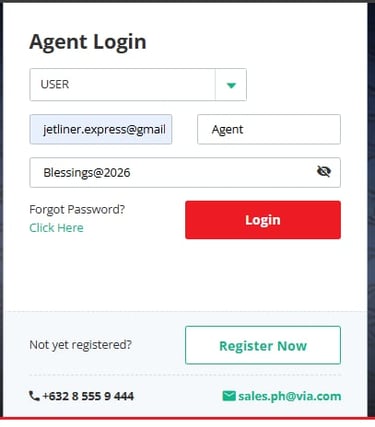
3.Contact the Cebu Office to request your one-time password. OTP is only valid for 60 seconds.
Operational Hours: Monday to Saturday
Time: 10:00 AM to 7:00 PM (Manila Standard Time)
4.Once logged in successfully, you may now do the following:
Flight schedules and fares
ToGo ferry schedules
Check and booked holiday packages
Search for Hotels
Check all upcoming and pass bookings.
For any concerns or assistance:
Message Jetliner Express Cebu Office at 0917-113-2609
Or reach our UAE Head Office via WhatsApp at +971 50 599 2041


How to Book a Flight (Standard Operating Procedure)
1. Gather Customer Information
Collect the following details from the customer:
Trip type: One-way or Round-trip
City of Origin
City of Destination
Departure Date
Return Date (for round-trip only)
Number of Passengers
(Specify passenger type: Adult, Child, Infant, PWD, Military, Senior or Student)Preferred Travel Time ( Optional )
Preferred Budget (Optional)
Preferred Airline (Optional)
Preferred Seat Class (Economy, Business Class, or First Class) (Optional)
2. Search for Flights
Click the Flight tab.
Input all gathered information in the required fields.
Click the Search Flight button.
3. Review Available Flights
Available flights will be arranged based on pricing.
Wait until the loading bar reaches 100% completion.
4. Present Flight Options
Provide at least three (3) flight options to the customer.
Do not forget to mention the disclaimer:
Prices may vary depending on seat availability and weather conditions. Terms and conditions apply.
5. Verify Identification
Before proceeding, request a valid ID or Passport from the customer ( NO ID NO BOOKING POLICY)
6. Input Passenger Details
Select the chosen flight.
Enter passenger details accurately.
Reminder:
Incorrect spelling, wrong date of birth, or incorrect salutation may result in additional charges, penalties, or ticket invalidation.
7. Add Optional Services
If requested, add:
Additional check-in baggage
Onboard meals
Click Select More to include these options.
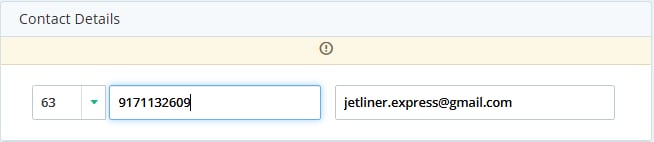
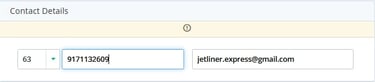
8. Enter Contact Details
Use the generic email address:
jetliner.express@gmail.comInput the passenger’s phone number to ensure they receive the SMS ticket notification.
9. Review Terms and Conditions
Check and agree to the Terms and Conditions to proceed with payment.
10. Final Review and Payment
Review the Final Summary carefully.
Once confirmed, click Make Payment.
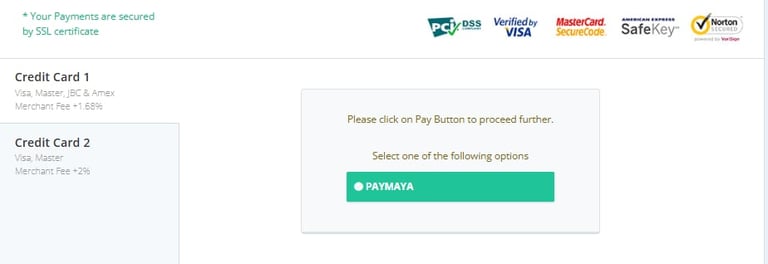
11. Payment Method
Select Credit Card as the payment option.
Only Philippine-issued credit cards are allowed.
Add the credit card charge to the quoted price.
12. OTP Verification
Enter the One-Time Password (OTP) provided by the bank.
13. Ticket Issuance
After successful payment, wait 5–10 minutes for the ticket to be issued.
Check if the PNR code is already reflected.
If not yet visible, do not close the screen—wait a few more minutes.
14. Ticket Release
Once issued:
Select Print Ticket (without price)
orEmail Ticket (without price)
15. Issue Acknowledgement Receipt
Provide the customer with an Acknowledgement Receipt confirming successful booking.
Travel
Your journey starts with Jetliner Express.
Services
Contact
Info@jetlinerexpressglobal.com
+971 50 599 2041
© 2026. All rights reserved.